BACKEND REPORT - Refund (Owner)
1. In your dashboard home page, scroll down to Transactions row and press Report.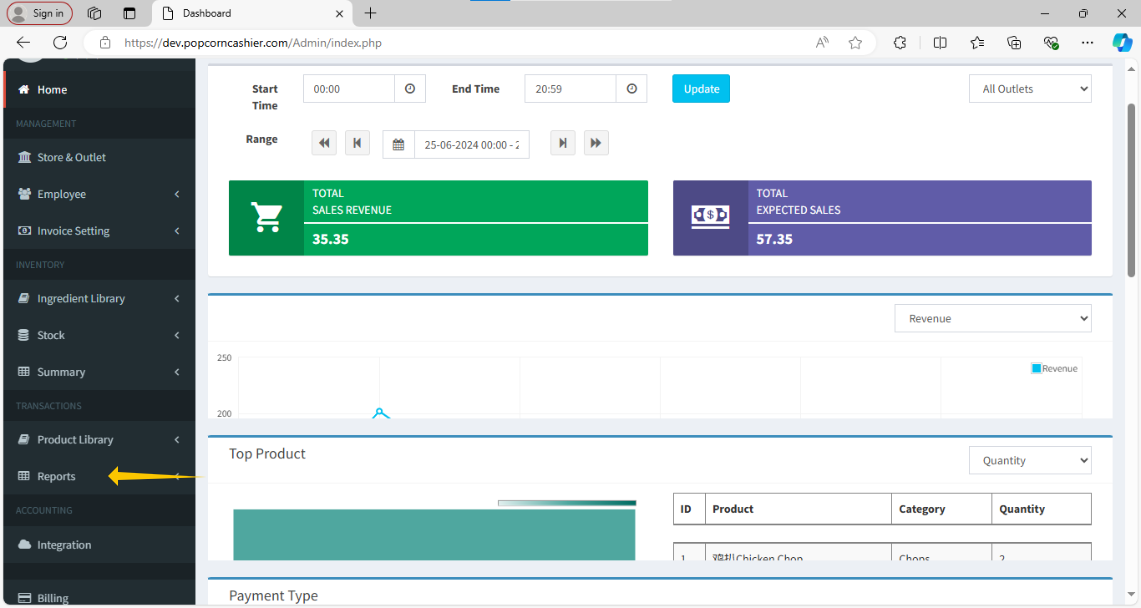
2. Then, click on Transaction. 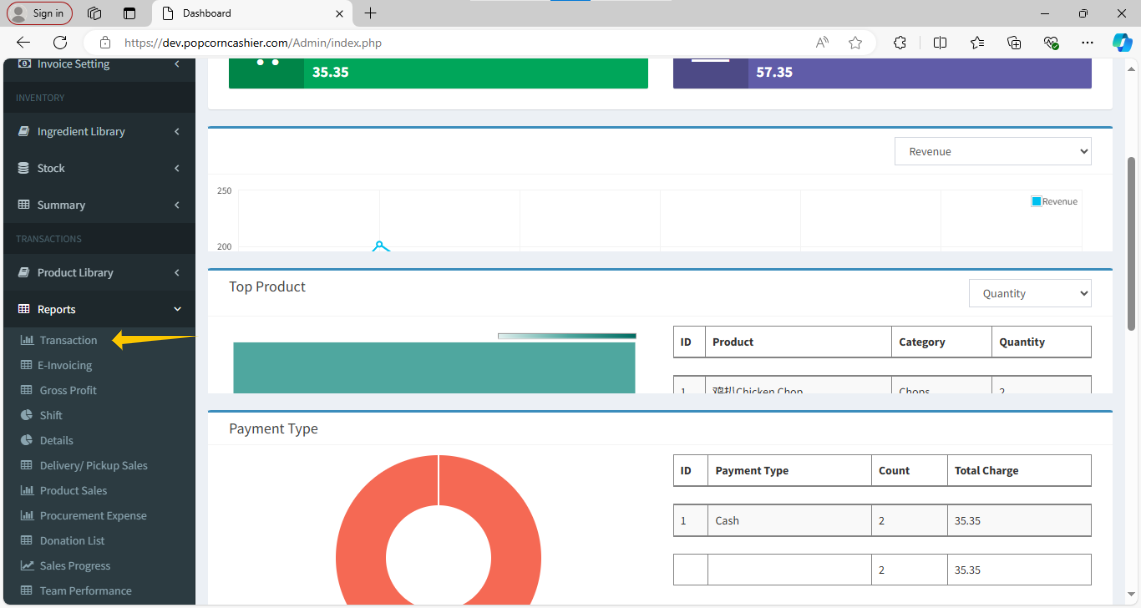
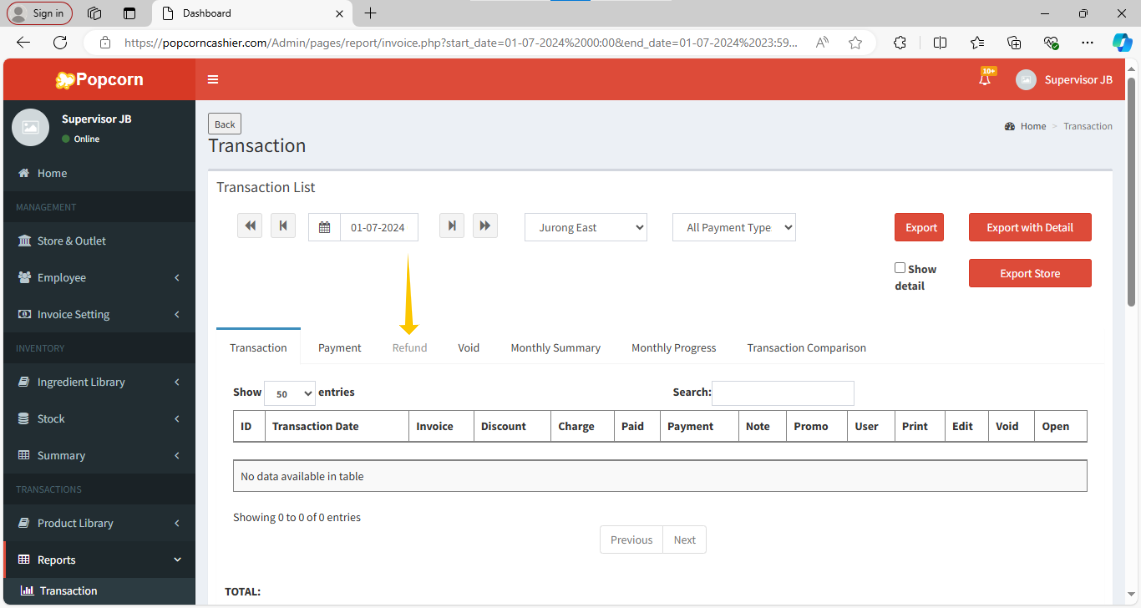
3. After click on Transaction in the right-hand side, click on Refund.
1. In your dashboard home page, scroll down to Transactions row and press Report.
2. Then, click on Transaction.
3. After click on Transaction in the right-hand side, click on Refund.
