How to Enable Attendance Feature (In Backend Portal and Frontend)
In Backend (admin page):
- Go to Setting > Cashier App Setting
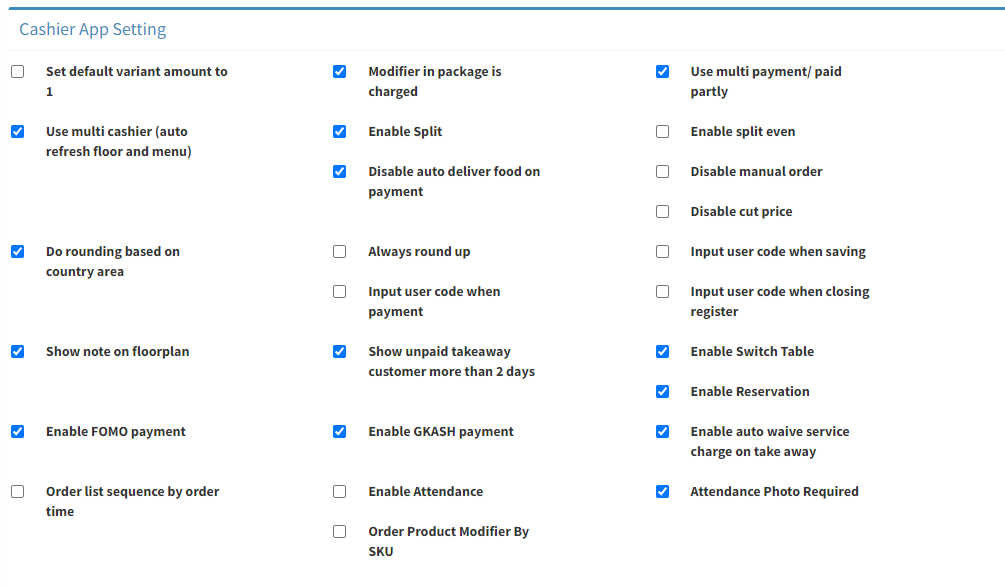
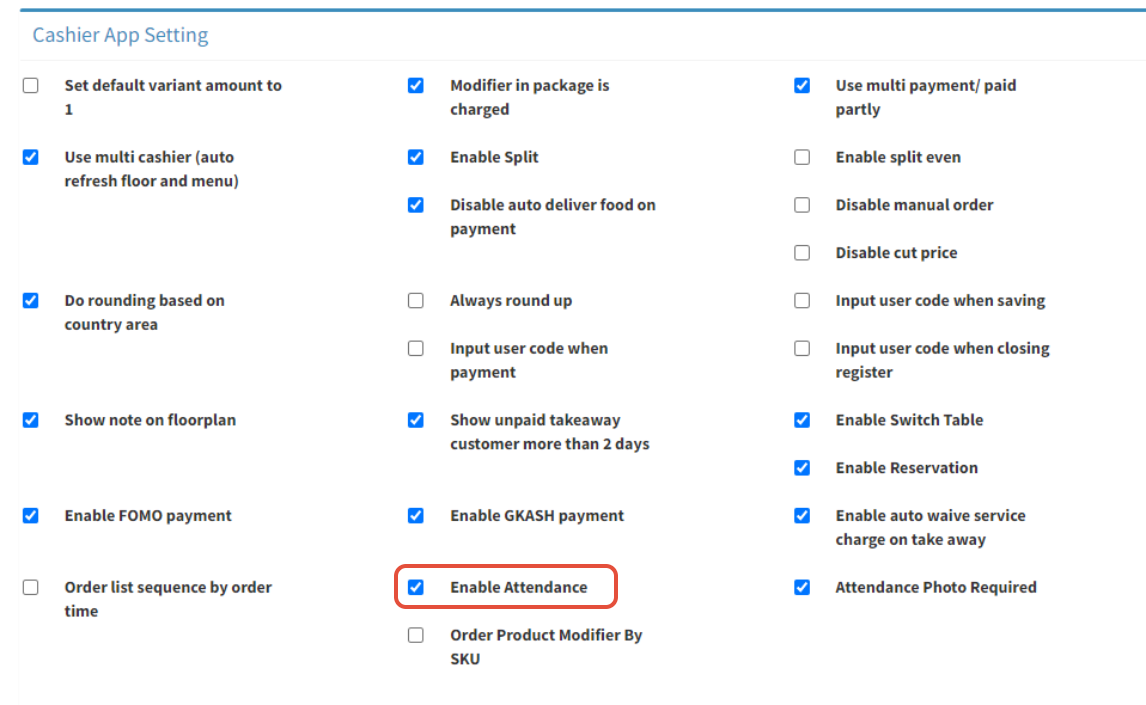
- Tick on Enable Attendance
- Click on
 to save change
In Cashier App:
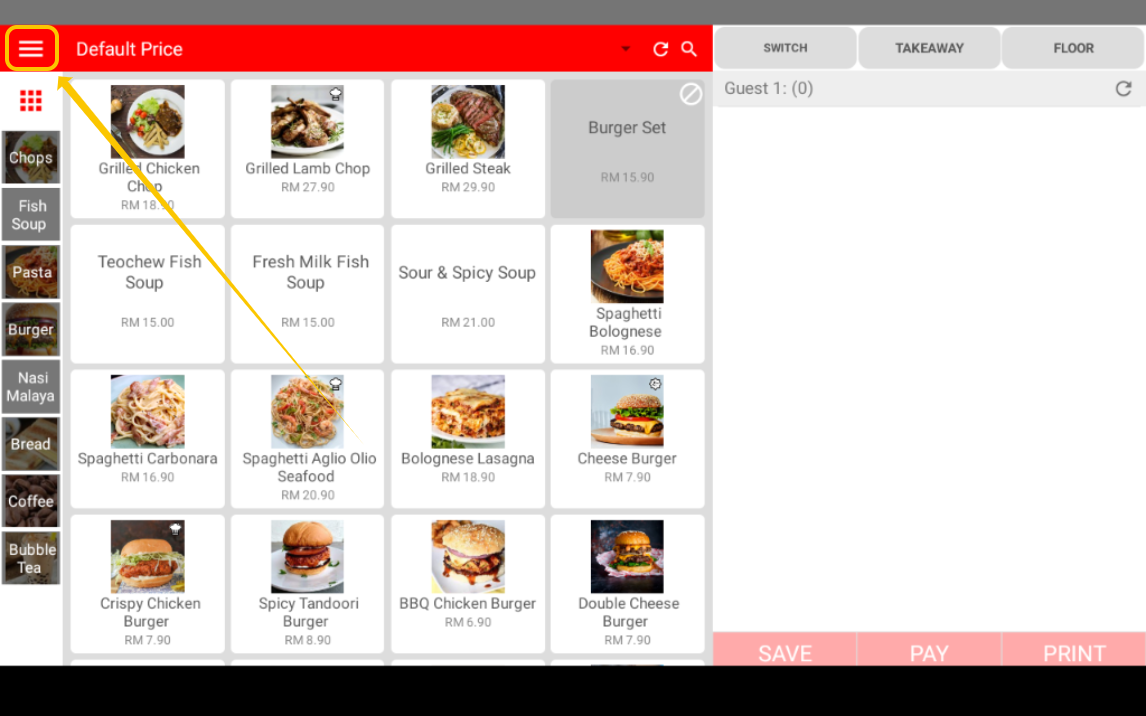
- Click on ≡ to open the side bar menu
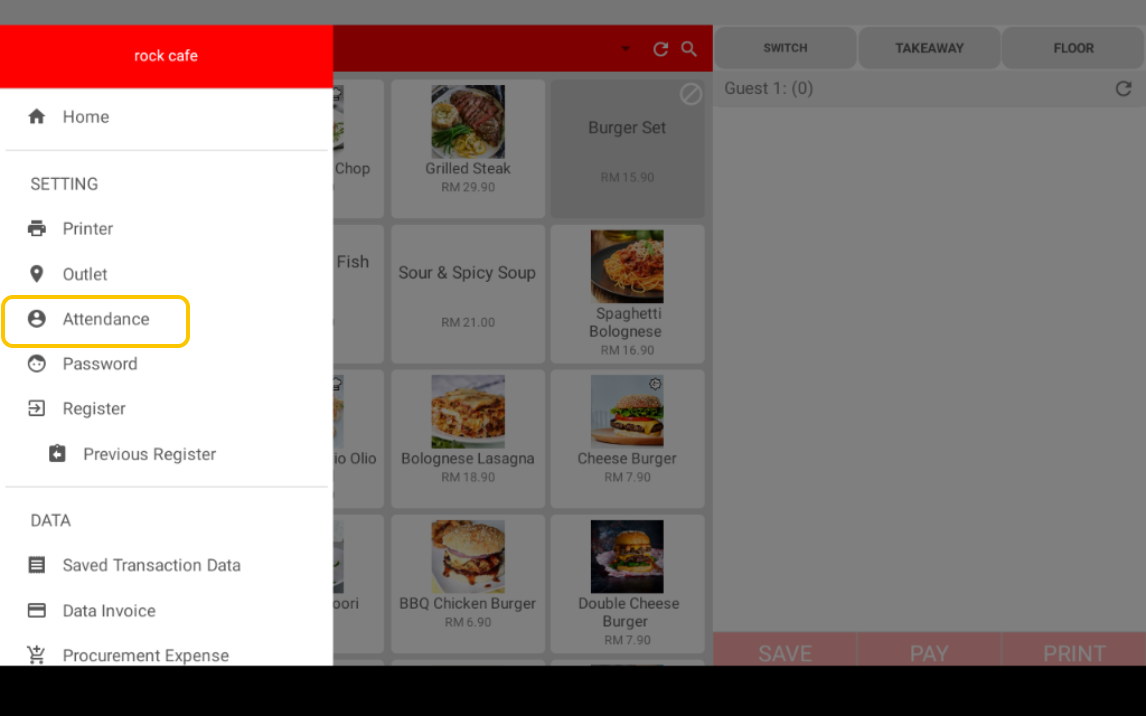
- Click on Attendance
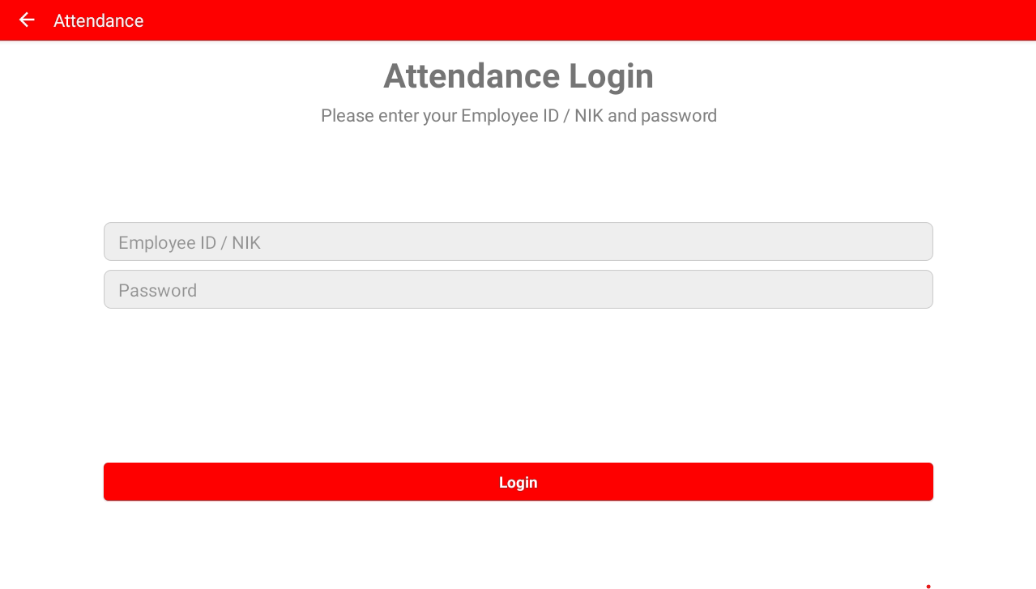
- Enter the NIK and password of staff, click Login
--------------------------------------------------------------------------------------------------------------------------
Please refer to video below for more information:
