Internal documentation for Popcorn POS customers — not linked from the public site.

How to Void Bill After Payment

Popcorn POS Applications Updated Wed, 21 Jan

Step 1: Open the App
Open the Popcorn Cashier app on your device.
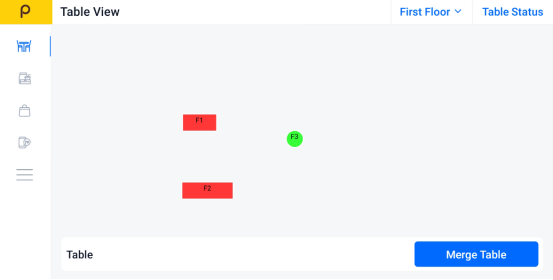
Screenshot


Step 2: Click the Sidebar

Tap the menu icon (☰)
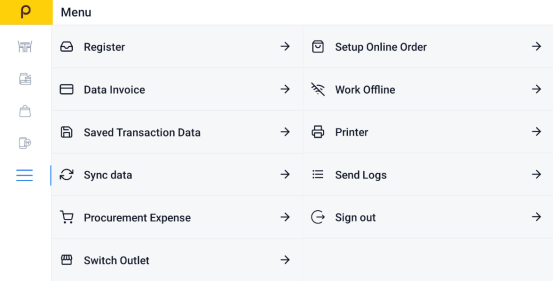
Screenshot


Step 3: Find "Data Invoice"

Select Data Invoice to view all recent transactions.
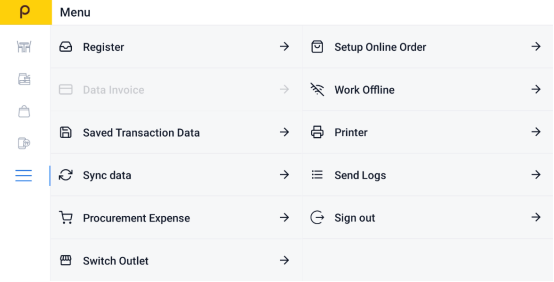
Screenshot


Step 4:Choose the Bill You Want to Void

Scroll through the list or search to find the specific invoice or bill.
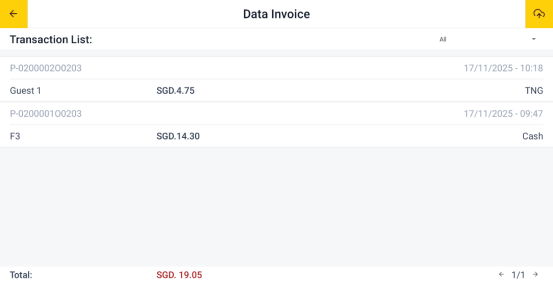
Screenshot


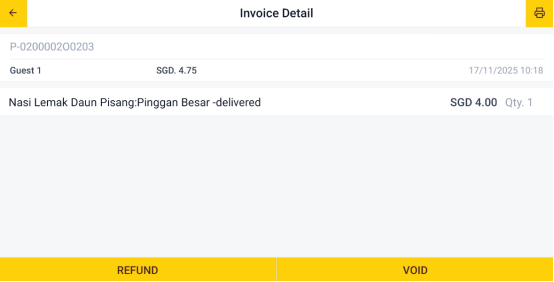
Step 5: Click the Void button
Tap the "Void" button.

Screenshot


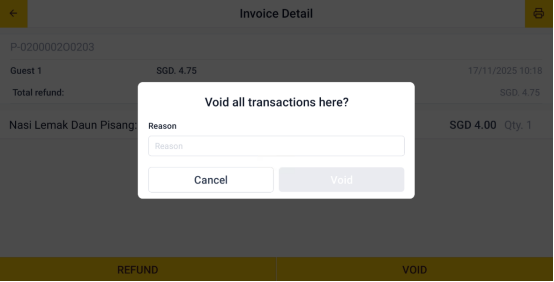
Step 6: Enter Void Reason
Enter the reason for the void in the field provided.
Screenshot
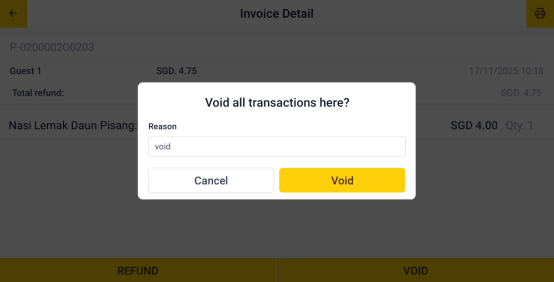
Step 7: Confirm the Void
Tap "Void" to submit the refund request.
Screenshot

Watch the video guide


Poppy
Poppy
Popcorn POS AI
Poppy
Hi! I'm Poppy 👋 Ask me anything about Popcorn POS — pricing, features, or demos!