How to Add Attendance Staff ID
- In Backend(admin page), go to Management > Employee > Attendance Staff
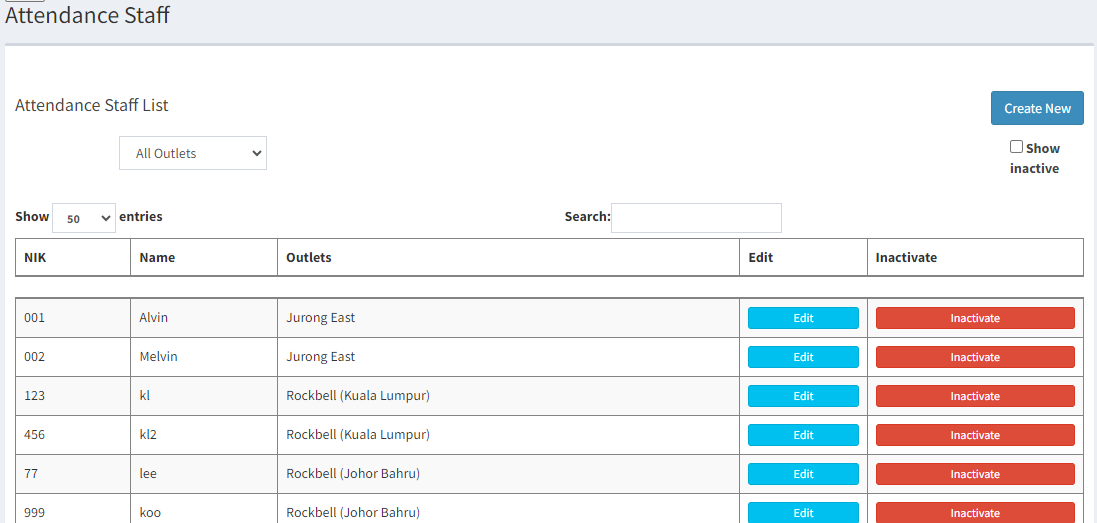
- Click on

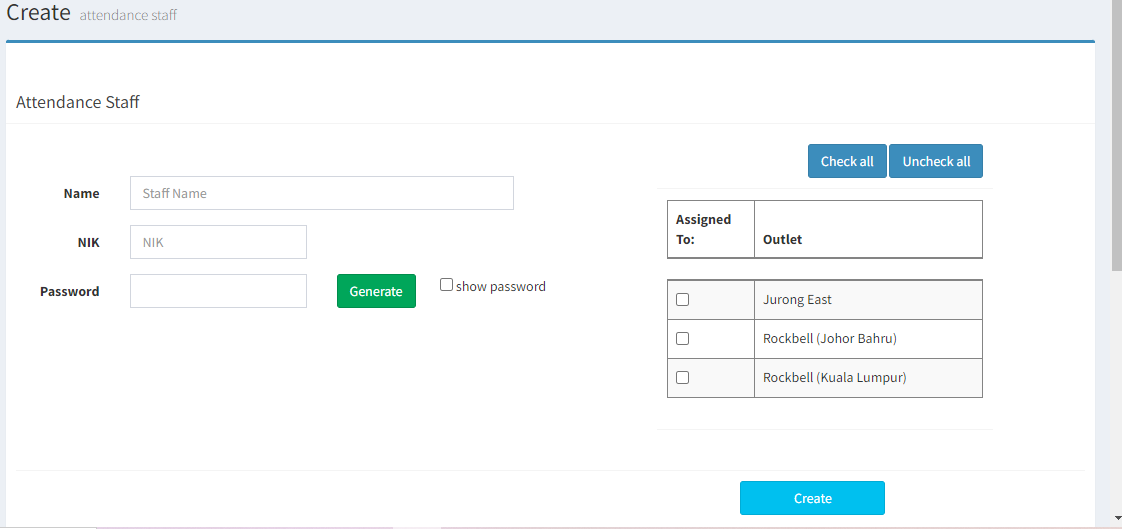
- Enter the staff name, NIK and password and also tick on the outlet assigned to
NIK: unique identification name given to the staff to verify his/her identity used when marking attendance
*Password can be auto generated for the staff by clicking Generate
- Click on
 to save
------------------------------------------------------------------------------------------------------------------------
Please refer to video below for more information:
